Monthly Timesheet Template
Last updated August 17, 2026
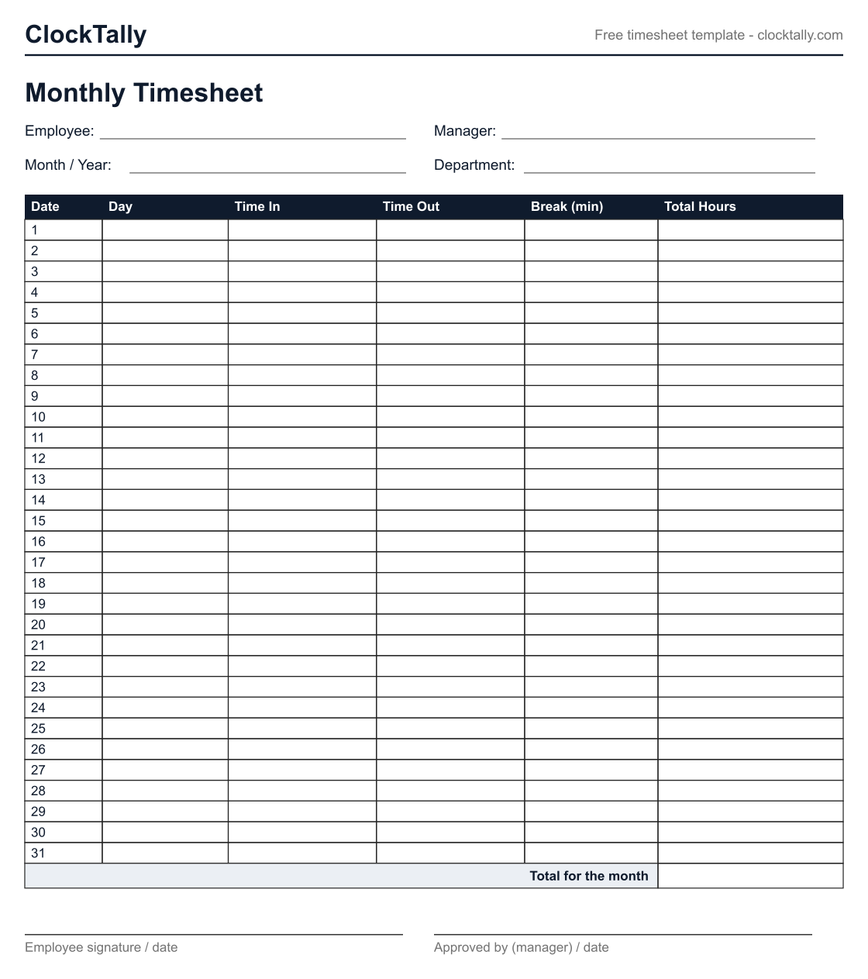
A monthly timesheet template fits a whole month on one page: a numbered row for each of up to 31 days with time in, time out, unpaid break, and daily total, plus a monthly total and signature lines. It's the compact option for attendance records, salaried tracking, and monthly invoicing. Download it below as a blank or fillable PDF — free, no signup.
Both are free, one page, US Letter. The blank version is for printing and filling in by hand; the fillable version can be typed into in any PDF reader before printing or saving.
When a monthly sheet is the right choice
A month on one page trades writing room for coverage, so it suits records where you log one line a day and rarely need split shifts:
- Attendance and days-worked records — who worked which dates, at a glance.
- Salaried or flexible-hours tracking — a running personal record without weekly paperwork.
- Monthly invoicing — freelancers and contractors billing by the calendar month.
- Monthly and semi-monthly pay schedules — where the pay period lines up with the calendar, not the week.
If you're hourly and overtime matters, track per week instead — overtime is checked against each workweek, not the month. Use the weekly template or the bi-weekly template for that.
How to use it
- Write the month and year in the header, then log each worked day on its numbered row — skip days off, or mark them so the record shows they weren't missed entries.
- Record unpaid breaks in minutes; leave paid rest breaks inside the in/out span.
- Total each day, then the month. For accuracy, run the punches through the free time card calculator or total single days with the hours calculator.
- Sign and date it — the signature lines are what make it an approved record.
Is this monthly timesheet template free?
Yes — free to download and print with no signup. The blank PDF is for handwriting; the fillable PDF has form fields you can type into in any PDF reader before printing or saving.
Months don't all have 31 days — what do I do with the extra rows?
Leave them blank or strike them through. The template numbers rows 1–31 so a single sheet works for any month; unused rows at the bottom don't affect the total.
Related tools and templates
- All timesheet templates — print any version straight from your browser.
- Weekly timesheet template — one week per sheet.
- Bi-weekly timesheet template — two weeks with per-week subtotals.
- Work hours in a year calculator — how many working days and hours each month and year holds.
- Decimal hours converter — turn h:mm totals into the decimal format payroll expects.